 English
 Deutsch

Wollen Sie mehr von Suite.Academy?
Erhalten Sie Zugriff zu:
- Workshops
- Kursen
- Vorlagen
- Monatliche Q&A Meetings
Understanding the Record Retrieval Error
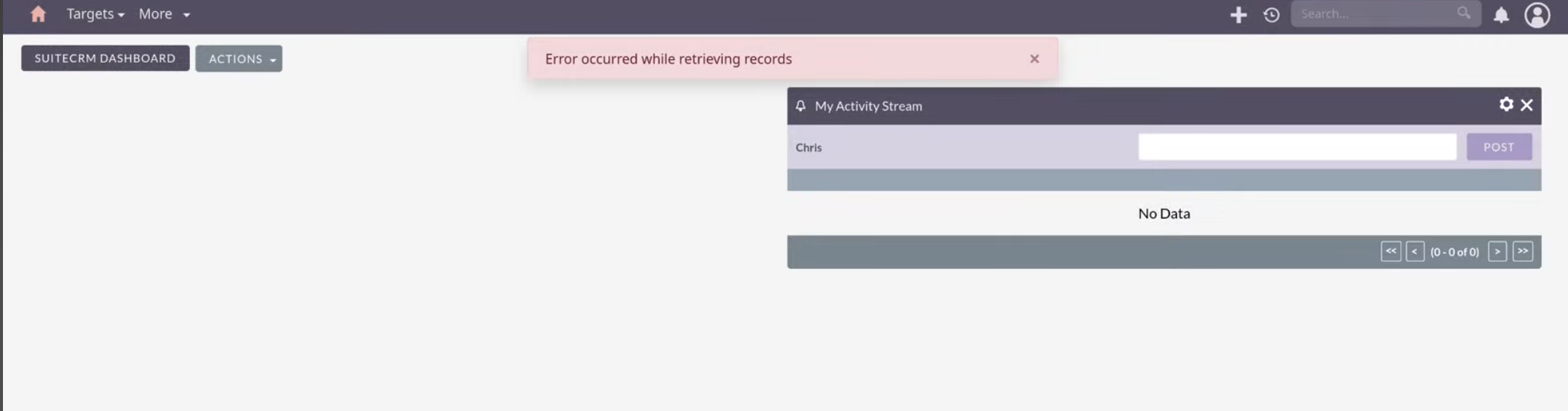
If you are reading this, most likely you have been seeing the error message: "Error occurred while retrieving records". You may be wondering where this error comes from, why you have it, and how you can solve it.
This message usually shows up when a user logs in and accesses the dashboard. This error is often linked to the practice of creating roles with highly specific user permissions. For example, you may have an intern or one specific user who should only help with one particular task.
The Root Cause: Conflict with Restricted User Roles
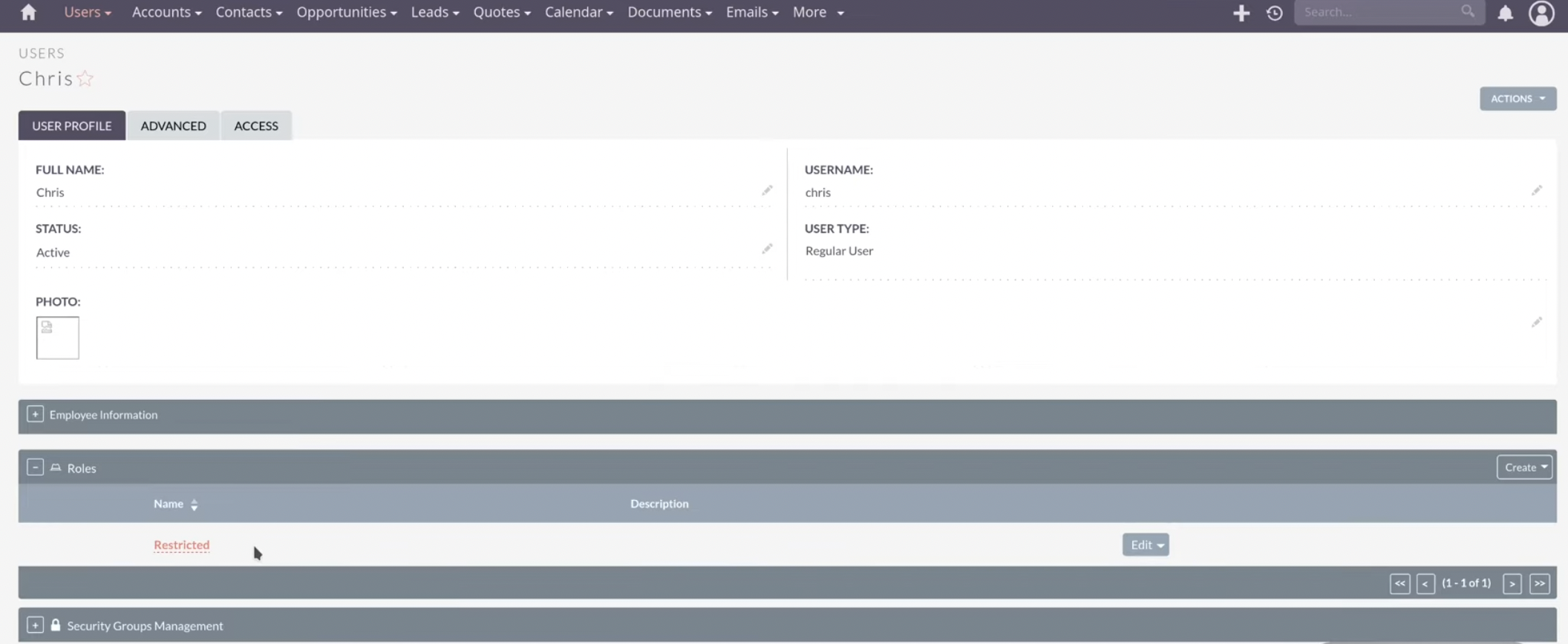
The problem arises when you create a very limited role for a user. For instance, a common scenario is setting up a role where the user should only be adding targets. To achieve this, you would enable access to the Targets module and, very reasonably, set everything else disabled.
While this security measure is logical, the conflict stems specifically from the Alerts module.
Why the Alerts Module Causes the Conflict
The Alerts module is the culprit causing this issue because it will be triggered or called directly from the dashboard.
Once somebody logs in, the system immediately checks the Alerts module. This check is necessary to determine if there are any notifications to display in the top-right notification icon. The notification icon is the one that shows up at the top right. In order to know that there are no current notifications, or if there are any that would be displayed there, the Alerts module needs to be read.
If the restricted role you created disables access to the Alerts module, the system cannot retrieve the data it needs for the dashboard. This data retrieval failure causes the "Error occurred while retrieving records" message to display.
Step-by-Step Solution: Enabling Alerts Access
This fix is what has been "seen very often in the forum". Therefore, this solution should be the initial "go-to test" that you perform first in order to see whether you can solve the problem in this way.
Step 1: Access Role Management
Log in as an Admin user and navigate to the Admin area of SuiteCRM. Then, select the role management settings.
Step 2: Select the Restricted Role
Choose the specific restricted role assigned to the user experiencing the error.
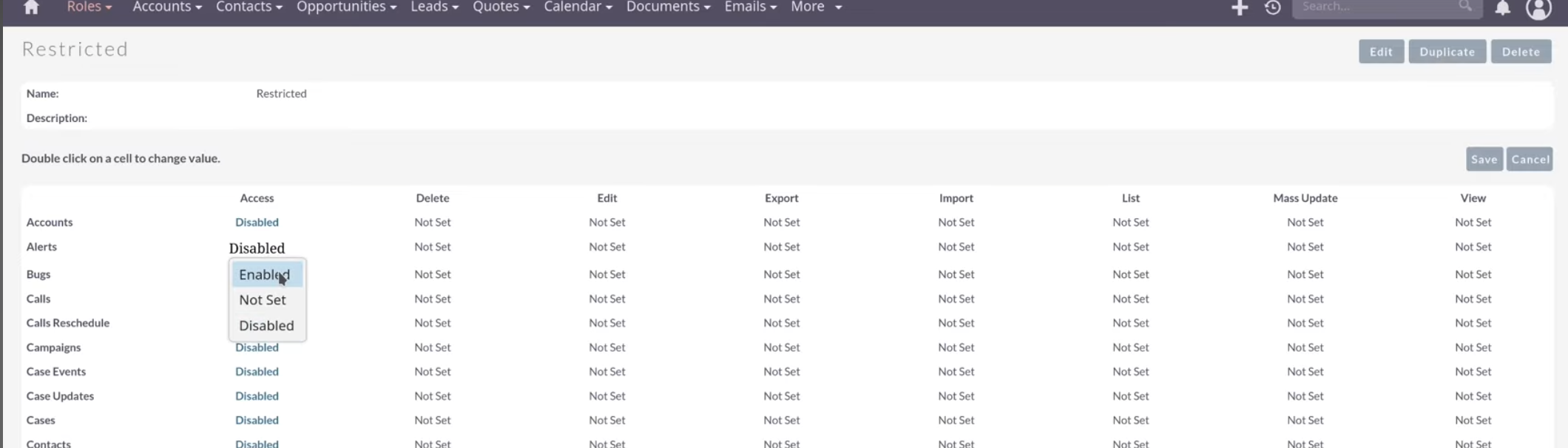
Step 3: Locate the Alerts Module and Enable Read Access
Find the Alerts module within the role permissions list. You must change the permission setting for the Alerts module to Enable. This action allows reading or viewing the data within that module.
Step 4: Save and Verify
Save the role changes. Then, switch over to the restricted user (the same user who was seeing the error) and refresh the page.
Conclusions and Next Steps
The error message should now be gone.
The user can now see the notifications here. The setup would all fit nicely and work nicely. You won't have any error notifications anymore.
The user can start working on the system even though they still maintain a very limited access or permission into the system. You only needed to enable access to the Alerts module while keeping access to all other irrelevant modules restricted or disabled. The user will still only be able to work on the targets, and no other modules will be available.
This is how you can probably solve it. If the problem persists after enabling the Alerts module, it is usually related to some customizations or something more difficult or complex. This fix, however, is the standard "go-to test" for this error.
